Add fee category
A fee category is a group of fee items—services or occurrences—intended for financial compensation. Each category is intended to group the fee items by their type or intention.
In CTMS, you can add custom fee categories to organize your fee items according to your needs and convenience. You can also deepen the hierarchy by introducing subcategories, adding more structure and logical distribution of the fee items for their further accessibility and easy navigation.
For instance, all the fees intended for institutions you work with can be arranged in the "Institution management" fee category. Then this category can have multiple subcategories for different types of payments, such as:
-
"Medical equipment fee" subcategory that has "X-ray machine fee," "ECG machine fee," and "Ultrasound machine fee" items.
-
"Subject" subcategory that has "Subject transportation fee," "Drug distribution fee," and "Sample processing fee" items.
-
In the CTMS application header, select the LIBRARY tab.
-
On the page that opens, from the left pane, select Fee Template.
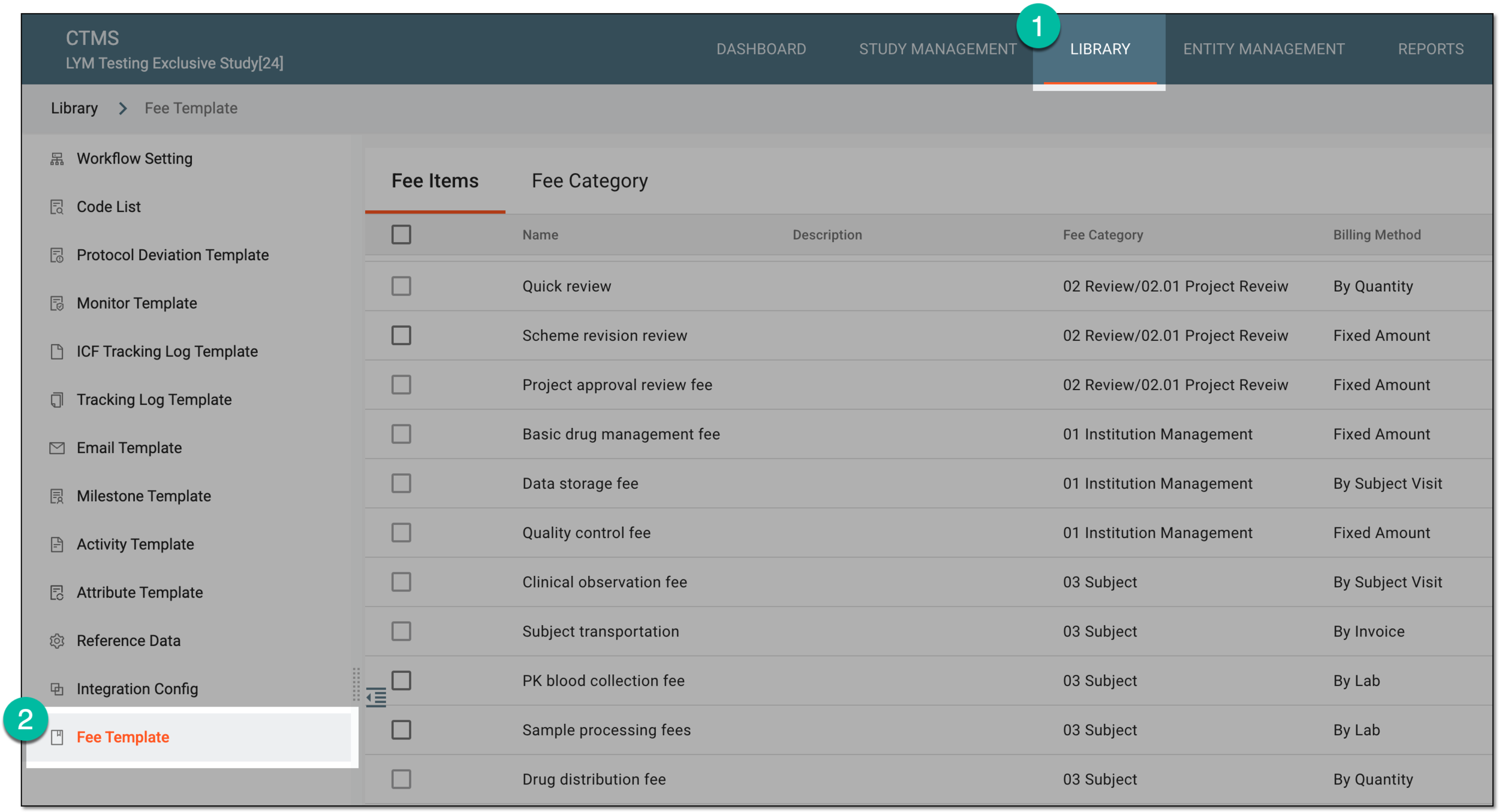 Figure 1. Accessing fee templates
-
From the contents panel, select the Fee Category tab.
-
In the tree that appears, right-click the category to which you want to add a subcategory.
Important
To add the main-level category, right-click Fee Category in the tree. To add a subcategory, drill down the tree and right-click the intended parent category.
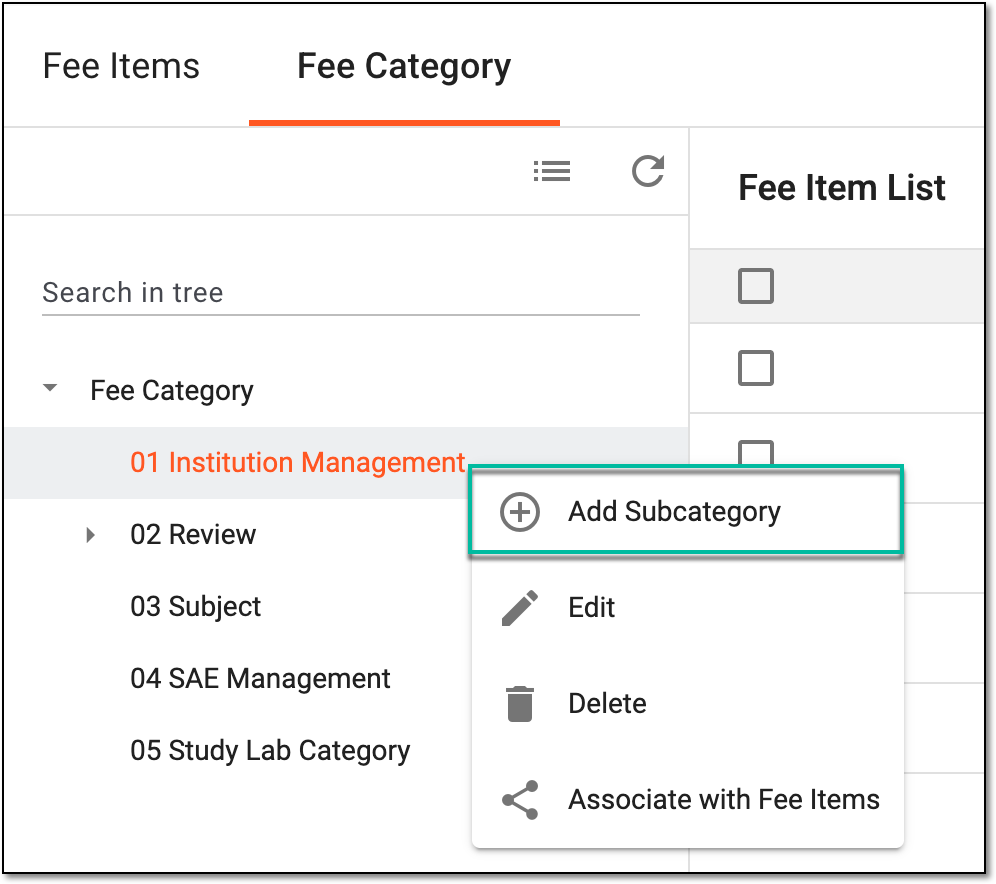 Figure 2. Selecting option to add subcategory
-
In the New dialog that appears, enter the name of the category you want to add. Then select
 .
.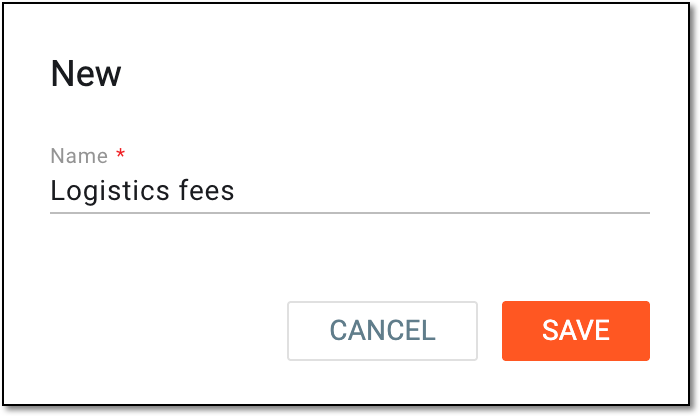 Figure 3. Adding new subcategory
Once saved, the fee category is added and appears in the selected hierarchy of the tree. You can now associate fee items to your category.