Export randomization window list
The randomization window is a predefined timeframe within which subjects can be enrolled and assigned to their respective treatment groups. Its purpose is to ensure the random and unbiased allocation of subjects, thereby enhancing the scientific validity of the research. The duration of the randomization window and its criteria can vary depending on the study protocol and design.
All randomization windows configured in the IWRS application are displayed under the Randomization Window tab. If needed, you can export the randomization window list to your computer as an XLSX file and use it offline or share it with third parties that have no access to IWRS.
-
In the IWRS application header, select the TREATMENT DESIGN tab.
-
From the left pane, select Visit Dispensing and Window.
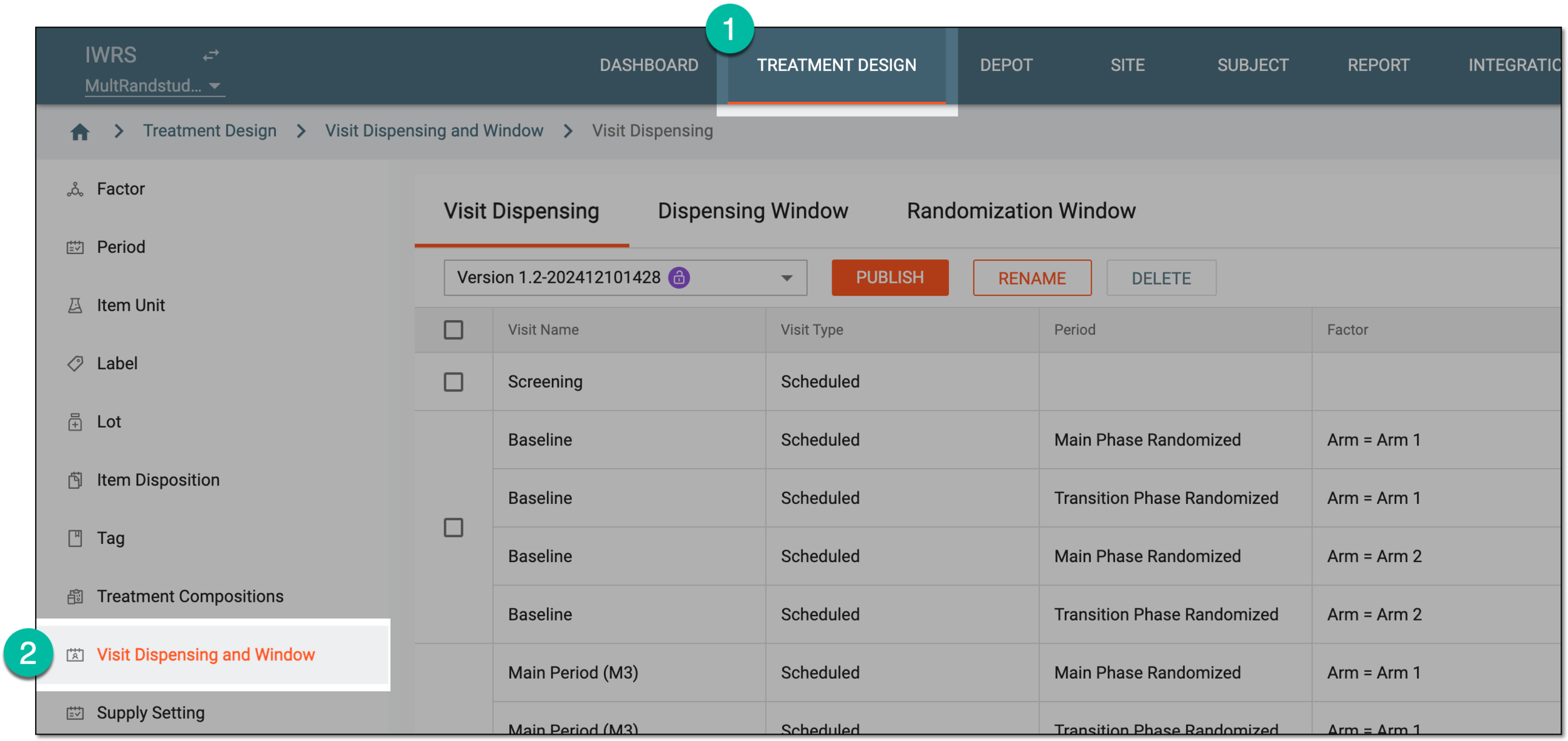 Figure 1. Accessing visit dispensing and window configuration
-
On the page that opens, from the contents panel, select the Randomization Window tab.
-
From the workspace toolbar, select Export
 .
. Figure 2. Exporting randomization window list
-
Once selected, the widget appears displaying your download progress. Select the widget to open the My Downloads dialog.
 Figure 3. Downloads widget
-
In the My Downloads dialog that opens, you can find the following tabs:
-
Preparing: under this tab, you can find all the files whose export is in progress, and they are not yet ready for download.
-
Download is Ready: under this tab, you can find all the files whose export is complete, and they can be downloaded to your computer.
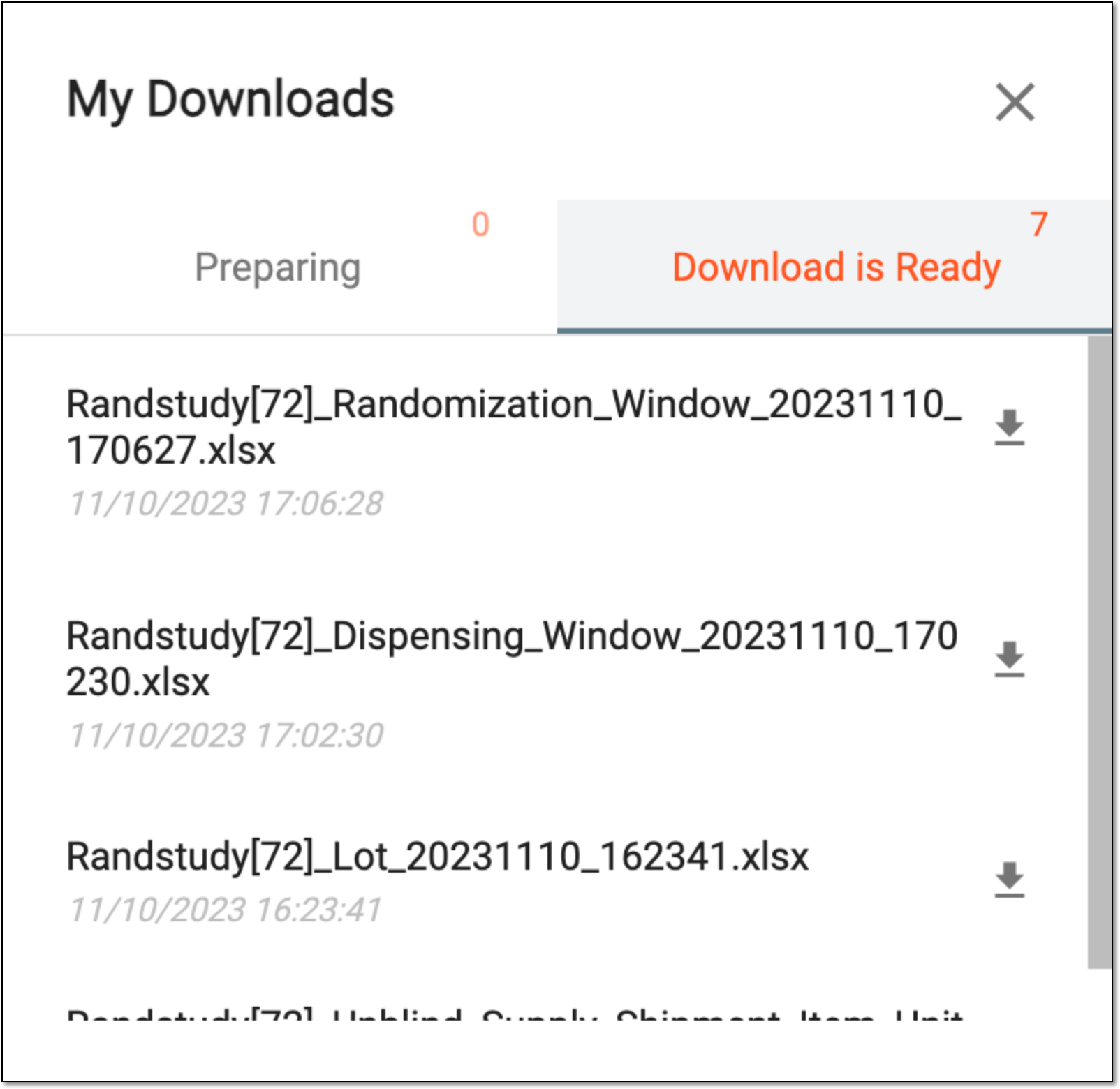 Figure 4. Viewing downloads
-
-
Under the Download is Ready tab, next to the file that you want to download, select
 .
.
Upon saving the XLSX file on your computer, you can work with it offline as needed.