View visits associated with monitoring configuration
The monitoring configuration incorporates a set of settings that facilitate the preparation and management of monitoring visits. In CTMS, you can view the list of visits that are created based on each of the monitoring configurations. It might be helpful if you want to know which visits can be affected if you decide to update any configuration.
-
Access the study management page in one of the following ways:
-
In the CTMS application header, select the DASHBOARD tab and then select the study dashboard of your interest.
 Figure 1. Accessing study management from dashboard
-
In the CTMS application header, select the STUDY MANAGEMENT tab. Then from the Study Data List table, select the study name of your interest.
 Figure 2. Accessing study management from study data list
-
-
On the study page that opens, in the left pane, expand Monitoring and select Monitoring Config.
-
In the Monitoring Configuration table that appears, next to the needed monitoring configuration entity, select More
 > Reference Item
  .
.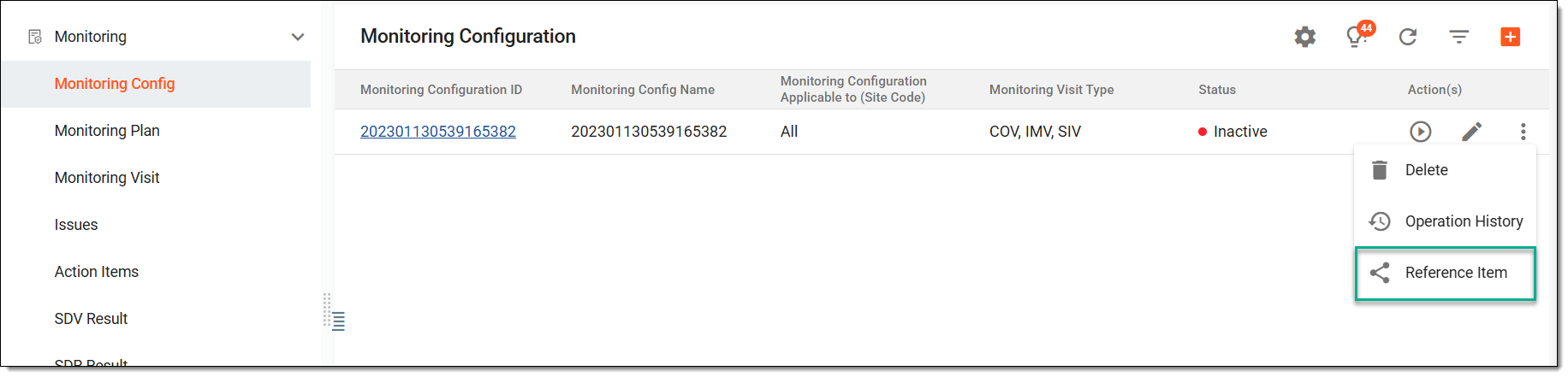 Figure 3. Accessing associated visit list
-
In the Reference Item dialog that opens, view the list of all visits associated with the selected monitoring configuration entity.
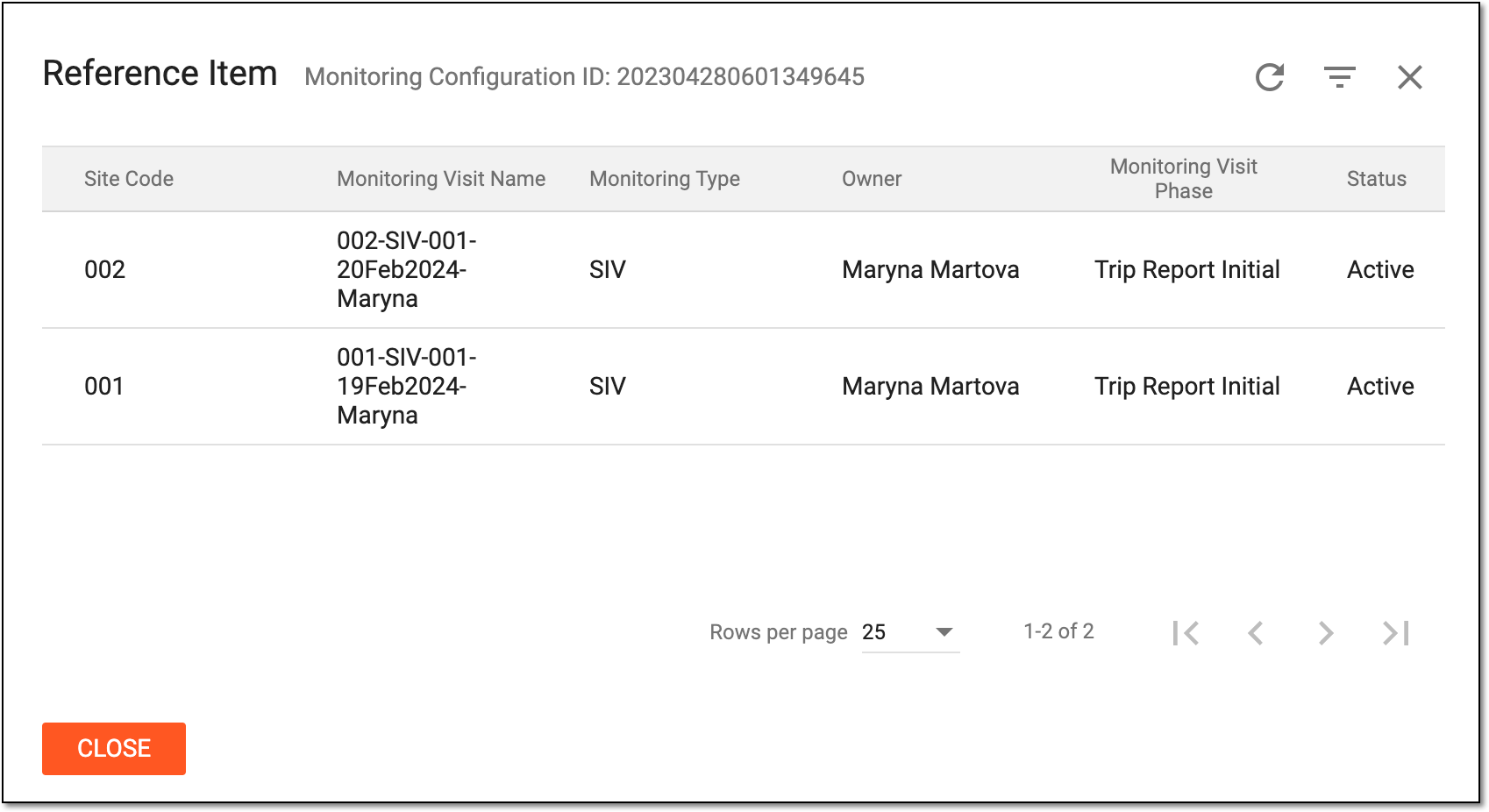 Figure 4. Viewing associated visit list
Once viewed, select  to close the dialog.