Activate/Inactivate randomization alert
Randomization is a process to help you avoid potential bias in the selection and allocation of subjects arising from the predictability of treatment assignments. From a statistical perspective, randomization provides unbiased estimates of error variance and independence of errors. A randomization alert is a customizable notification mechanism that generates an email to inform relevant parties when a normal or forced subject randomization succeeds or fails.
The purpose of a randomization alert is to promptly notify the responsible IWRS users about the subject randomization. By default, the created randomization alerts have an Active status. However, they can be inactivated in case the recipients need to temporarily stop receiving an email about the success or failure of the subject randomization.
-
In the IWRS application header, select the ALERT tab.
-
On the page that opens, from the left pane, select the subtab corresponding to the alert category of your interest.
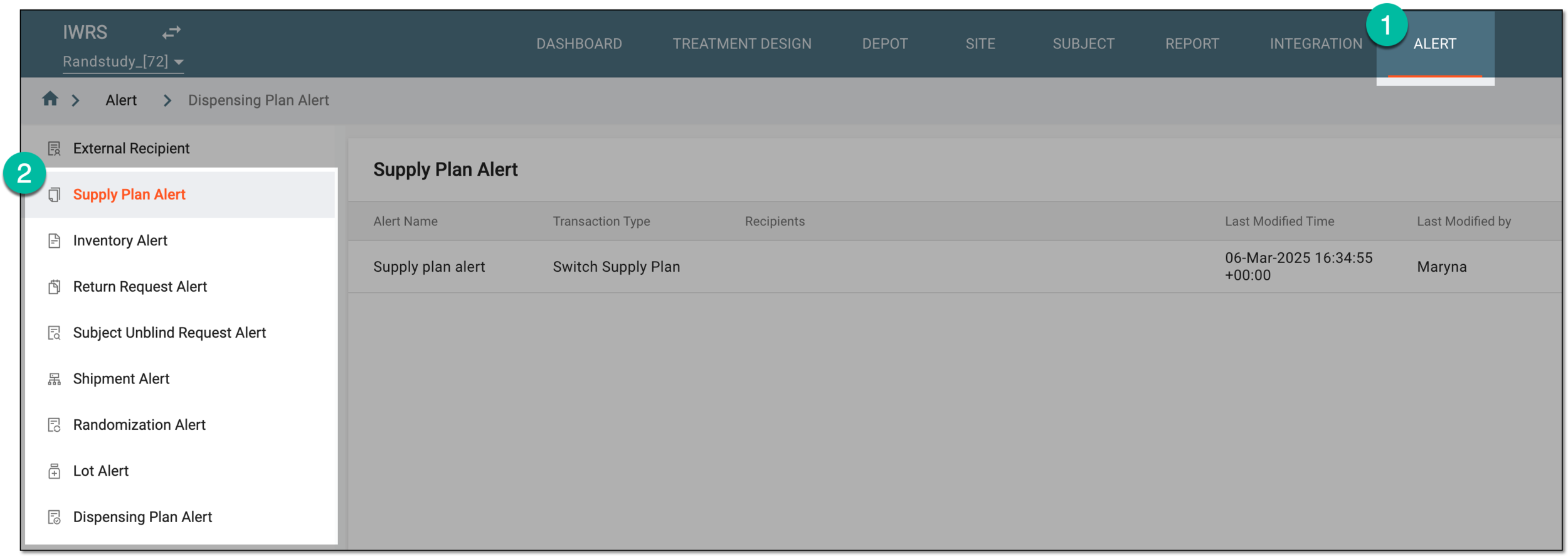 Figure 1. Accessing alert settings
-
In the Randomization Alert table that appears, next to the randomization alert you want to activate or deactivate, select Activate
 or Inactivate
  , respectively.
 Figure 2. Activating and inactivating randomization alert
Once selected, the randomization alert is activated or inactivated. If deactivated, the recipients stop getting the alert email when the subject randomization fails or succeeds.